 No Scrubs AI
 Video Generator
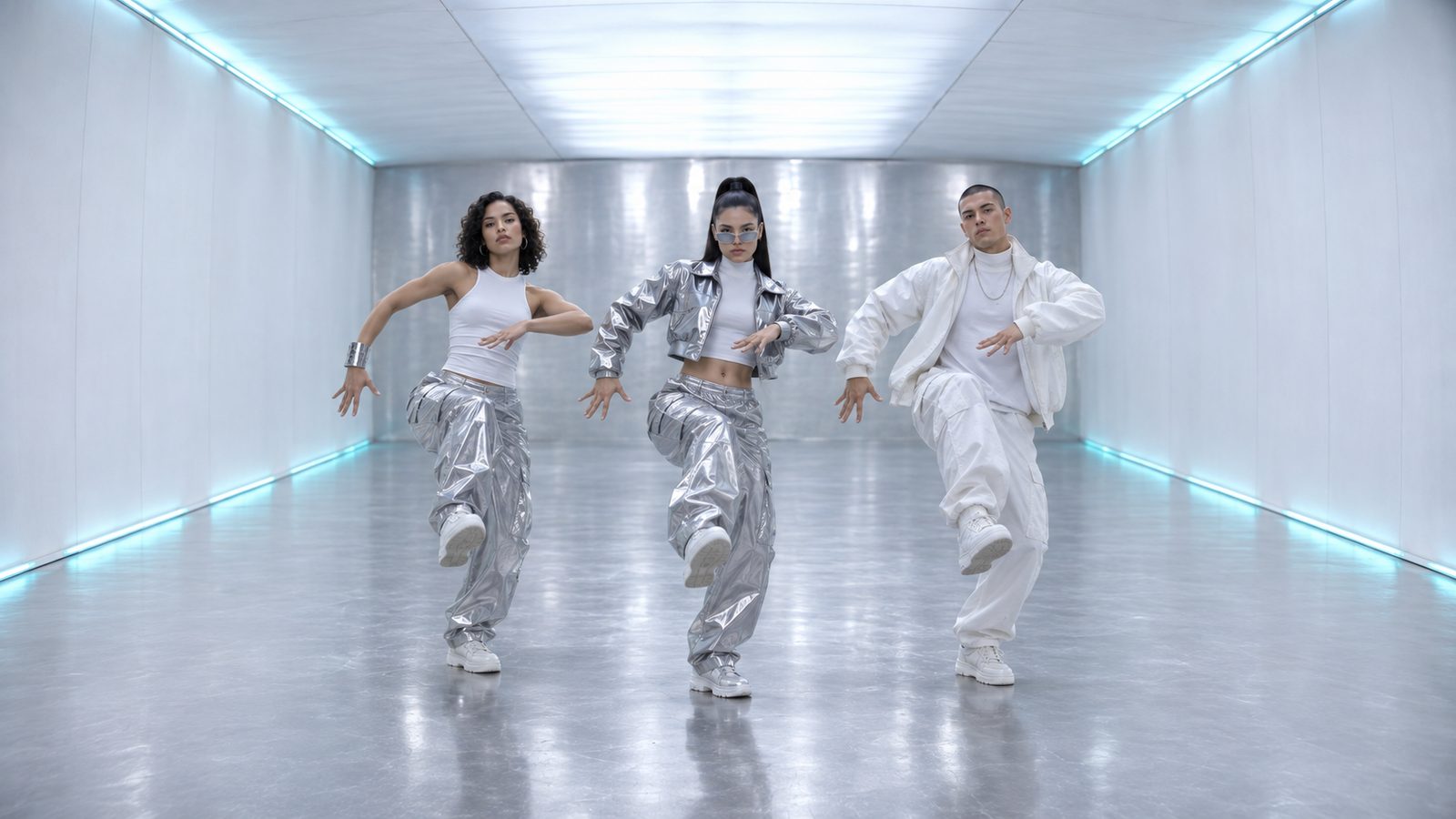
This page is about the video itself: what our No Scrubs AI video generator does with your photos, how the clip is built, and what you get at the end. Upload one face for the middle spot, two more if you have them, and the tool puts all three of you on a silver, glowing stage. No prompt to write, no app to install, no timeline to drag clips around on.
What Happens After You Upload
- 01
Faces are placed
Your middle photo becomes the lead dancer, facing the camera. Your second and third photos become the left and right dancers. Empty slots are filled by our own AI dancers, so a single photo still gives you a three-person frame.
- 02
The stage is built
We recast our No Scrubs template: three performers walk out of a shiny silver set, get their close-ups, dance side by side and finish leaning into the lens. Your photos take their places; the performers in the template are AI-generated, not TLC.
- 03
You get a still preview
Before paying anything you see a free still frame of your own scene, so you know how the faces sit in the light.
- 04
The clip renders
Once you unlock it, the video renders in a few minutes: about 15 seconds of 16:9 widescreen video, ready to download as an MP4 with the template's soundtrack on it.
Why a Photo Tool and Not an Editor
Editors are built for people who already know what a keyframe is. This is built for people who found a sound on TikTok and want their own version before the trend cools.
- No prompt engineering: you never type a description.
- No template hunting: the scene is already ours.
- No app install: it runs in the browser at noscrubsai.online.
- No editing: clips come out assembled.
- No green screen: faces come from your photos.
Photos In, Video Out
| You give | You get |
|---|---|
| 1 photo | Lead dancer in the middle, our AI dancers on both sides |
| 2 photos | Lead plus one side, AI dancer on the other side |
| 3 photos | Three real faces, three dancers, one stage |
What It Doesn't Do
It does not put TLC members in your clip, and it does not make anyone sing or lip-sync a specific line. It does not accept celebrity or public-figure photos. If you want an exact copy of a specific frame from the original music video, this is the wrong tool, and it's an honest place to say so up front.
When This Video Works Best
- Posting on the same day the sound is trending.
- Group chats where three friends want one clip.
- Creators who shoot solo and want a trio.
- Anyone who tried CapCut and gave up on the layers.
FAQ
Q1What is a No Scrubs AI video?+
A short clip of three dancers on a silver, glowing stage, made from your photos. It borrows the look of a late-90s music video.
Q2Do I need to write a prompt?+
No. You never type anything about the scene. The look is fixed and built into the tool.
Q3Can I make it with one photo?+
Yes. Your face takes the middle spot and our AI dancers fill the left and right.
Q4How long does the video take?+
Rendering usually takes a couple of minutes. You see a free still preview before the render starts.
Q5Will it look like the real video?+
It uses the same era and palette: silver light, a long corridor, three performers facing the camera. It is an AI-generated template in that style, not footage from the original video.
Q6Can I upload my friend's photo?+
Only if they are an adult and gave you permission. No celebrities, streamers or public figures.
Start With One Photo
Upload the middle dancer first. Add the other two whenever you like.